User Tools

Site Tools


Navigation Menu

Rustic Retreat

Live broadcasts and documentation from a remote tech outpost in rustic Portugal. Sharing off-grid life, the necessary research & development and the pursuit of life, without centralized infrastructure.

Rustic RetreatSubscribe to our new main project Rustic Retreat on the projects own website.

Hot Projects

SEEDStack
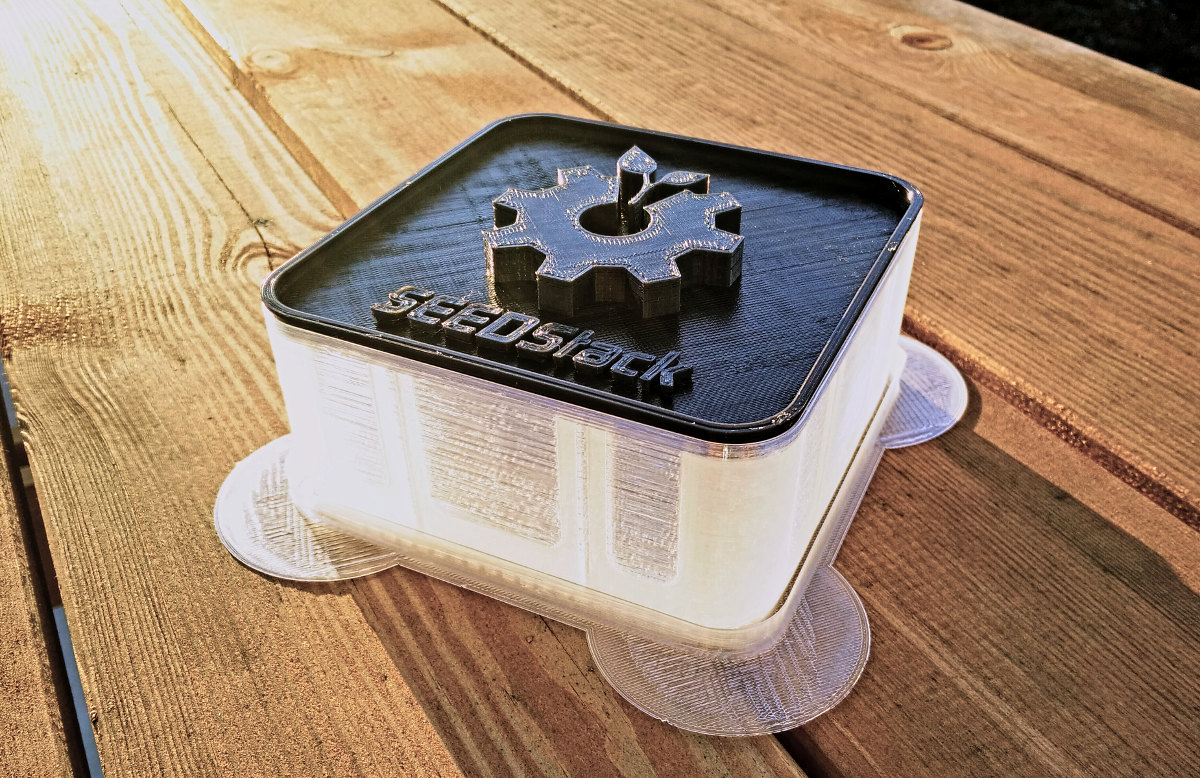
SEEDStack - Open 3D printable seed/sprouting systemDIY Food Hacking

UCSSPM

UCSSPM - Unified Clear-Sky Solar Prediction ModelOpen Solar Power

picoReflow

picoReflow - DIY PID Reflow Oven Controller based on RaspberryPiDIY Reflow Soldering

PiGI

PiGI - DIY Geiger Counter based on RaspberryPiRasPi Geiger Counter

DIY ARA-2000

Active Wideband Receiver Antenna for SDR - ARA-2000Wideband Antenna

DSpace

DSPace - Map everythingMap everything!

Mission-Tags

This is an old revision of the document!


picoPrint 3D Printer

Every Hackerspace or FabLab needs manufacturing capabilities in order to dramatically increase the edge of research and development possibilities. Where ever we go our whatever technical problem we might encounter, we can just build the parts we or others need to solve that problem. So, in the end of 2013, we had another look at the 3D printer market and a lot seemed to have happened since the RepMan. Almost all major tinkerer suppliers had some form of 3D printer to offer ranging between 600-900 Euros. We finally found the perfect basis for our picoPrint 3D Printer Robot project: The FELIXrobotics Felix 2.0/3.0 3D printer DIY kit. It was important to build the robot from the ground up, to fully understand each part of the machine to get much more confidence while hacking it later.

FELIXrobotics Felix 2.0/3.0 DIY Kit

To us, the framework, linear bearings and electronics of the Felix seem to be the most robust and smartly integrated 3D printer components on the market today, compared to the usual approaches. If we had to design and build a 3D printer completely on our own, it would have resembled the Felix closely in many aspects, like the extruded aluminium profiles for the frame and high quality HIWIN linear bearings for every axis. Considering the price of the components to build a similar 3D printer from scratch, the price of the Felix DIY kit offered the best price performance ratio and FELIXrobotics generously decided to become a sponsor with a non-profit kit. After working with our Felix 3D printer over a couple of months, we can say that our hopes have been far superseded, in short conclusion:

  • Sturdy extruded aluminium profile frame
  • HIWIN linear bearings on all three axis
  • Heated bed with heatspreader
  • Very high re-positioning accuracy (high-quality prints)
  • Built as simple as possible (reliable & easy access/maintenance)
  • Bed Size: 269 x 299 mm

The printing quality is astonishing, we had expected way more problems/failures and the additional degree of freedom to be able to print actual 3D parts, which can be used not only for prototyping but to actually become the final productive part in another project or to bootstrap new robots has opened a whole new dimension in local, small volume fabrication for us. Not to mention the added freedom and independence from upstream industrial products. We can create, download, improve and share all of our open-source models via internet for free on places like thingiverse and then just print them.

Felix 2.0 Mechanics

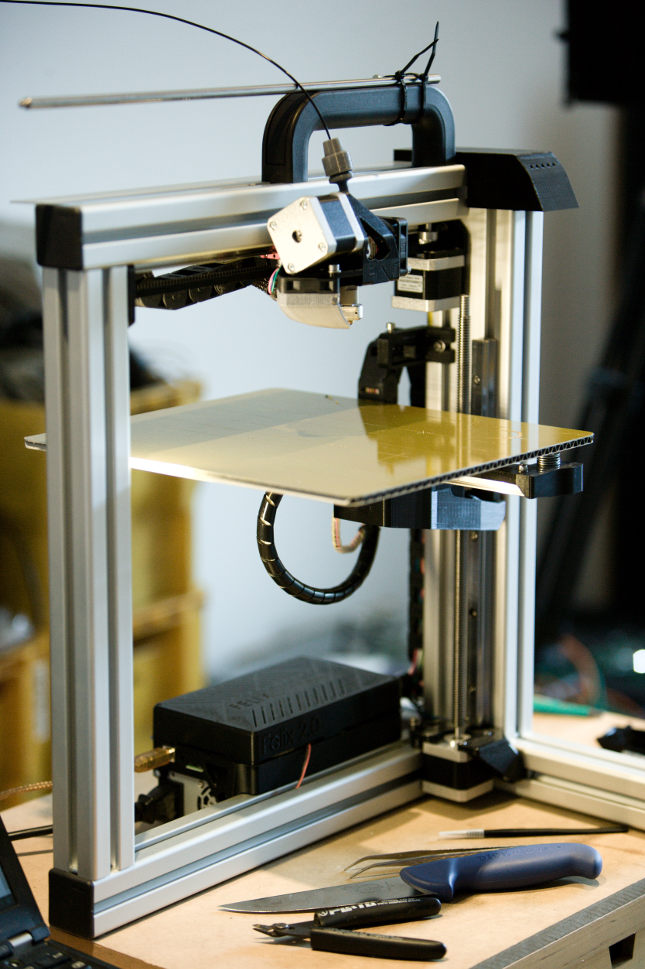
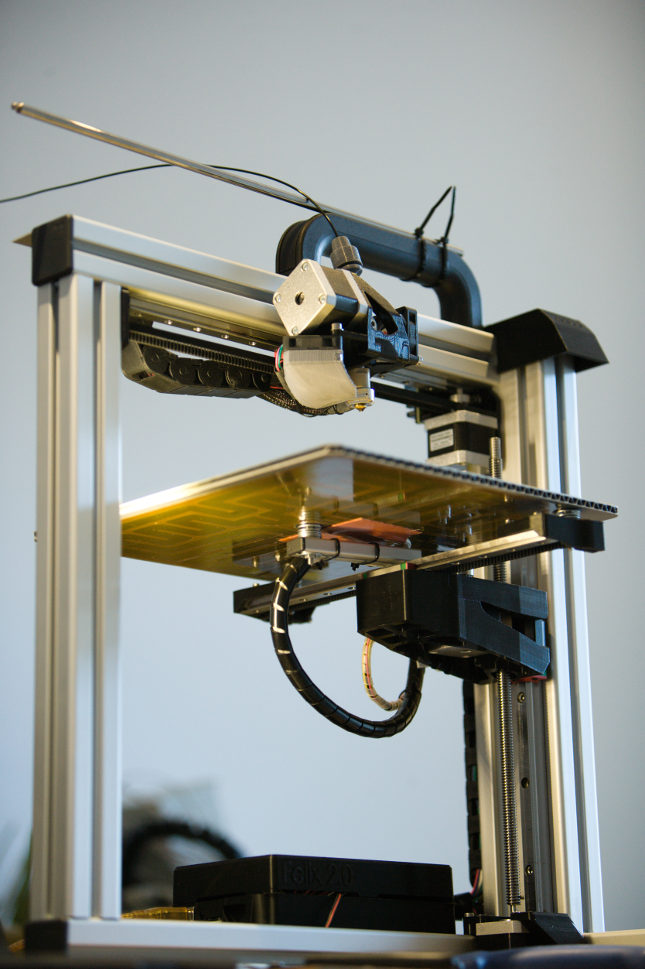
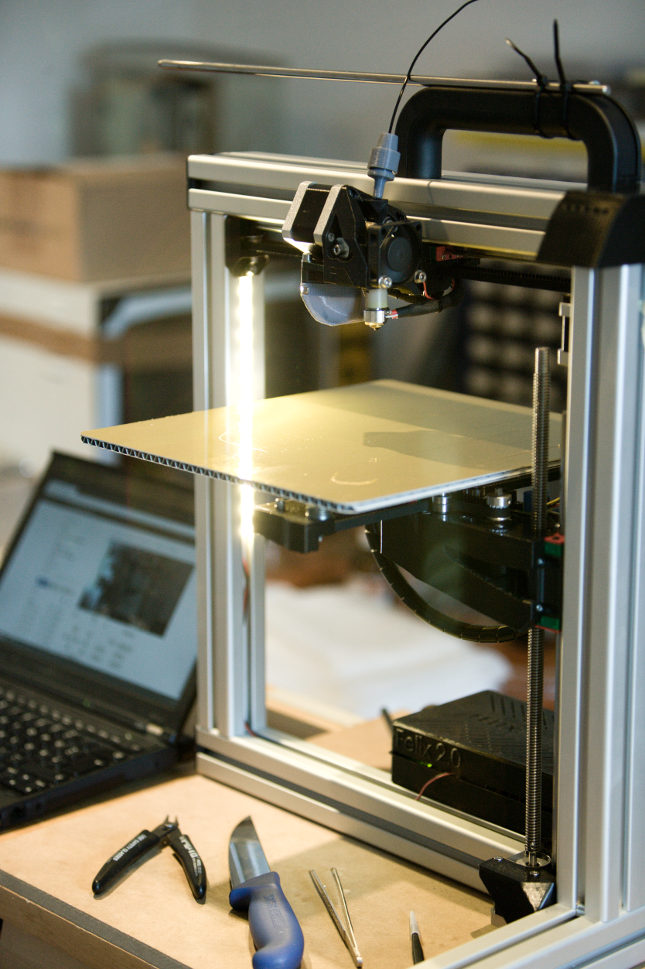
The Felix's open-frame extruded aluminium architecture accommodates modifications and additions perfectly, yet it is rigid enough to produce high quality prints with very large, even overhanging objects, printing for more than 12 hours.

Felix 2.5 3D Printer Front Left View Felix 2.5 3D Printer Front Left Bottom View Felix 2.5 3D Printer Front Right View

We've done the 3.0 update, which replaced the self-printed parts with even higher quality parts. But it's good to know that it works reliably with the self-printed parts as well. FELIXrobotics also has the part files of their printers online, so you can print your own spare parts. More pictures will follow soon.

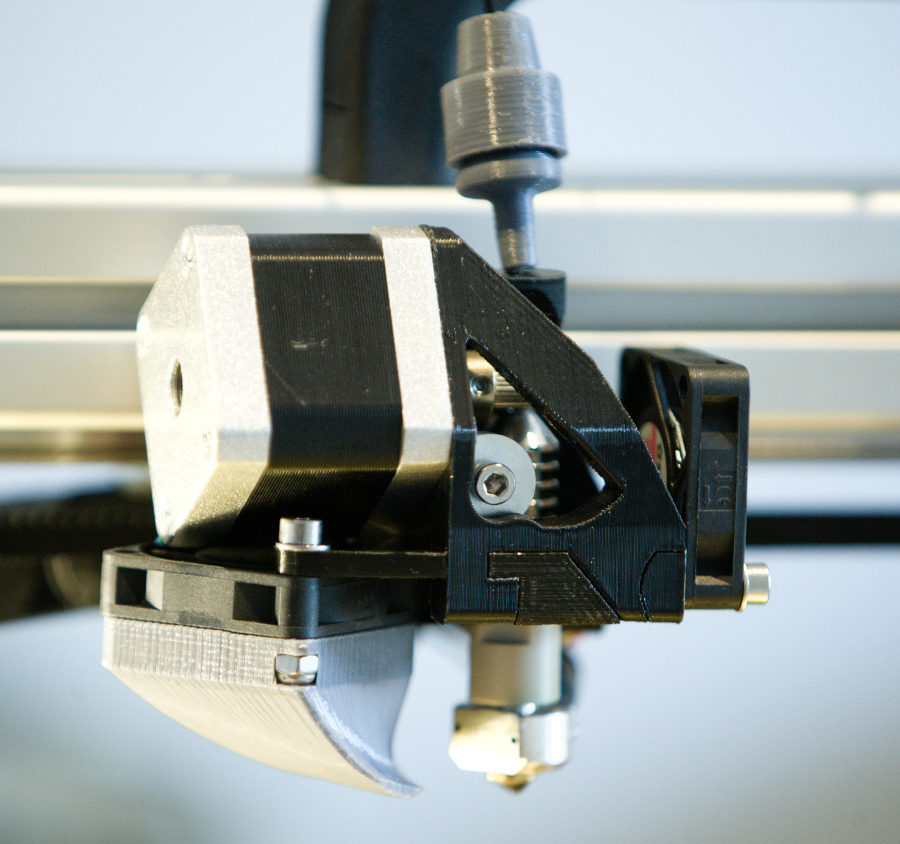
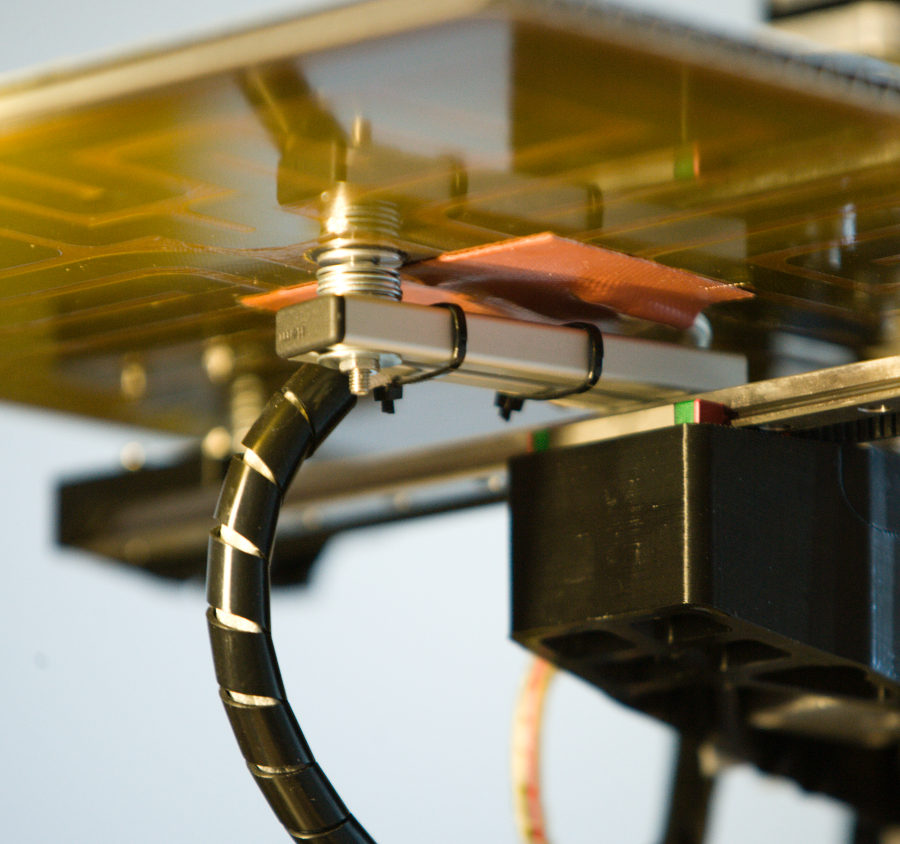
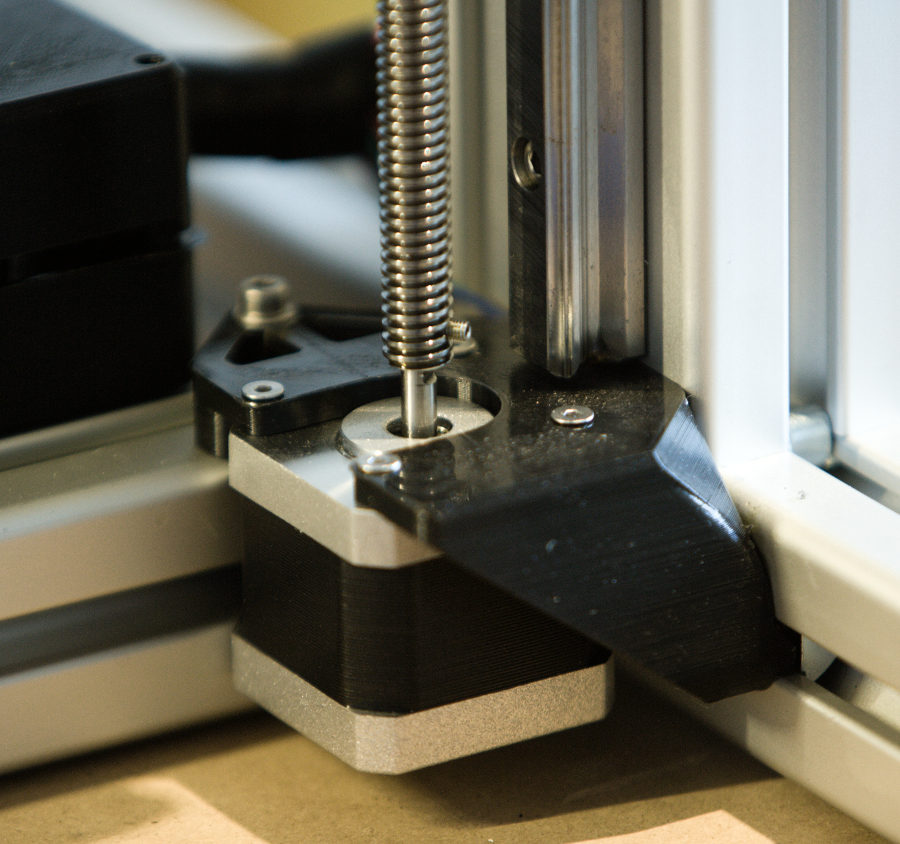
Felix 2.5 3D Printer Head/Extruder View Felix 2.5 3D Printer Heat-Bed/Speader View Felix 2.5 3D Z-Axis Stepper Motor + Mount + Trapezoidal spindle

A few more details of the head and extruder assembly (left), the heated bed and heatspreader assembly on the y-axis (middle) and the z-axis stepper motor with chassis mount and trapezoidal spindle assembly (right).

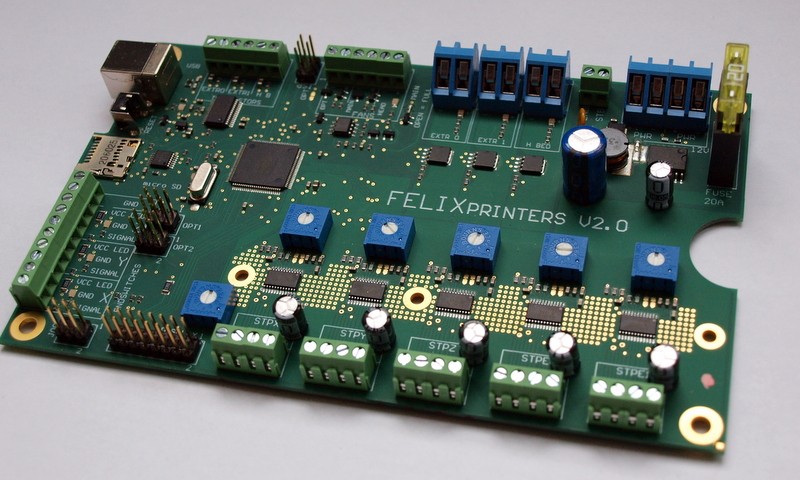
Felix Controller Board

The Felix Controller Board is a custom development of FELIXrobotics and cleans up the somewhat messy/bulky Arduino, RAMPS board and stepper motor driver board assembly we often see in DIY 3D printer setups. The board basically contains all of the components used in RAMPS kits, neatly and tightly integrated onto one PCB. FELIXrobotics also sell just the board itself, so people who want to build their own printers can use this tidy, all integrated electronics board. In terms of our picoPrint Robot, this is the central nerve system, connecting and controlling all of our low-level sensors and actors. All we have to do is to connect a brain to this nerve system to get a robot we can interact with on a much higher level.

felix-3d-printer-ramps-electronics-board

Hacks & Extensions

In order to turn the base machine into the picoPrint 3D printing robot we desire, a number of hacks and extensions have been done and are still in progress:

Cable Management

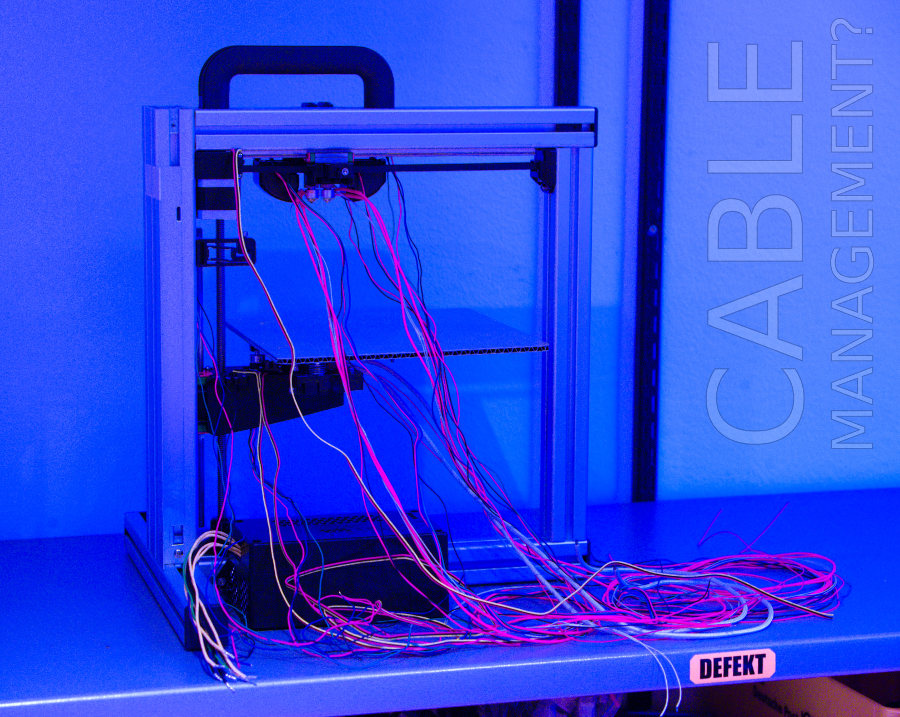
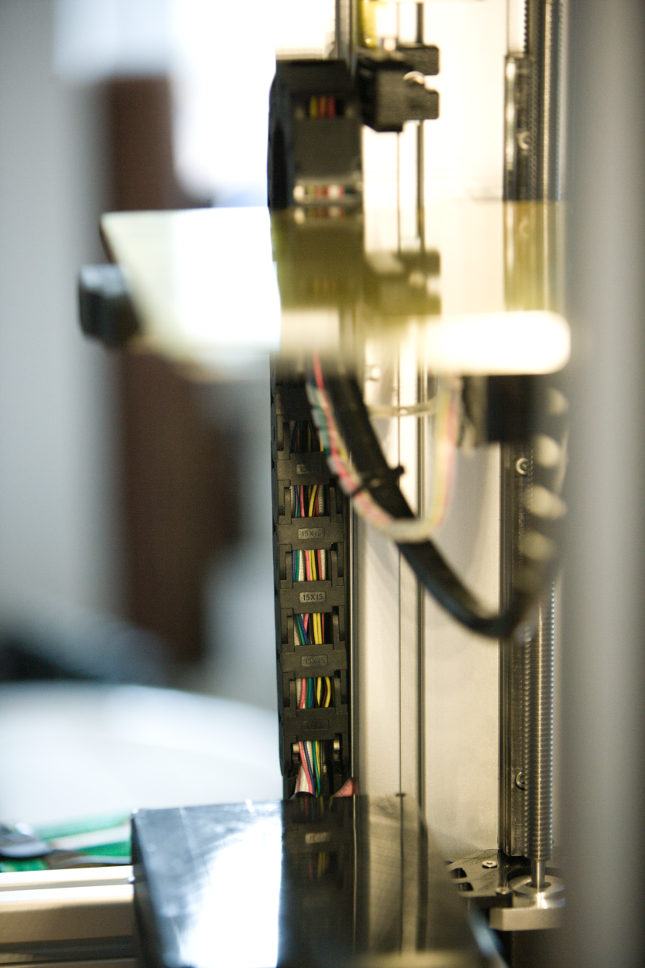
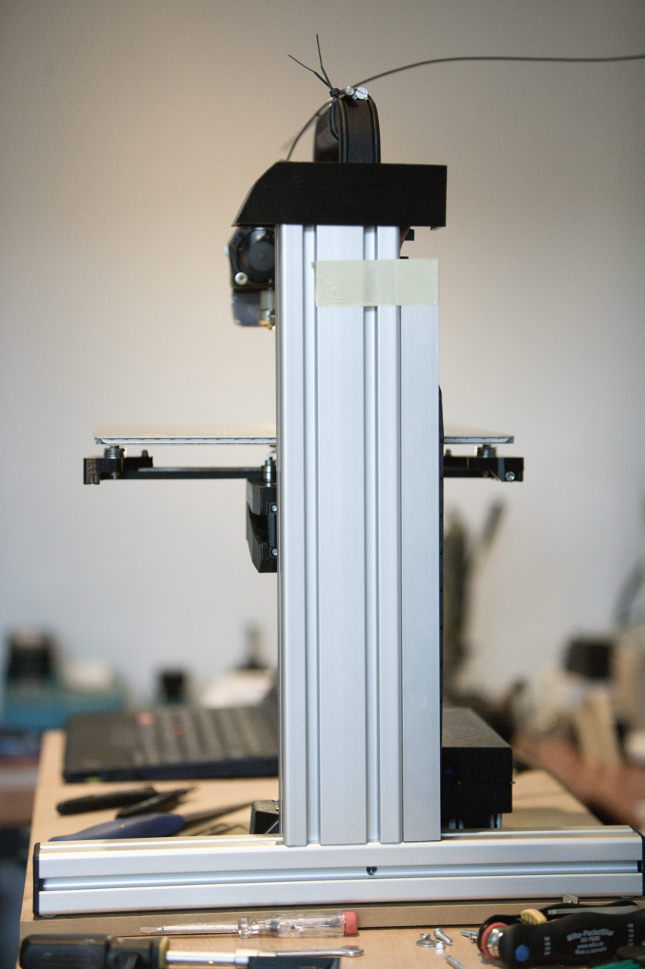
We've disregarded the original Felix assembly instructions about cable management and used two 15x15mm energy cable chains we got from ebay and two 25x25mm aluminium L-profiles which act as chain guides. Igus also offers zip-lock type cable chains which will be sourced as well to see if that makes it even more simple, because they can be opened/filled in place.

Cable Management

The key for this approach is to align all cable outlets either directly into the t-nut slots or - when moving - to the backside, so they can be put into the cable chain for each axis (for 3.0 x,y,z). For the head, all cables move below the carrier/mount to the backside into the cable chain.

Felix 3D Printer Bed Cable Transport Chain Felix 3D Printer 25x25mm Aluminum  Chain Cover


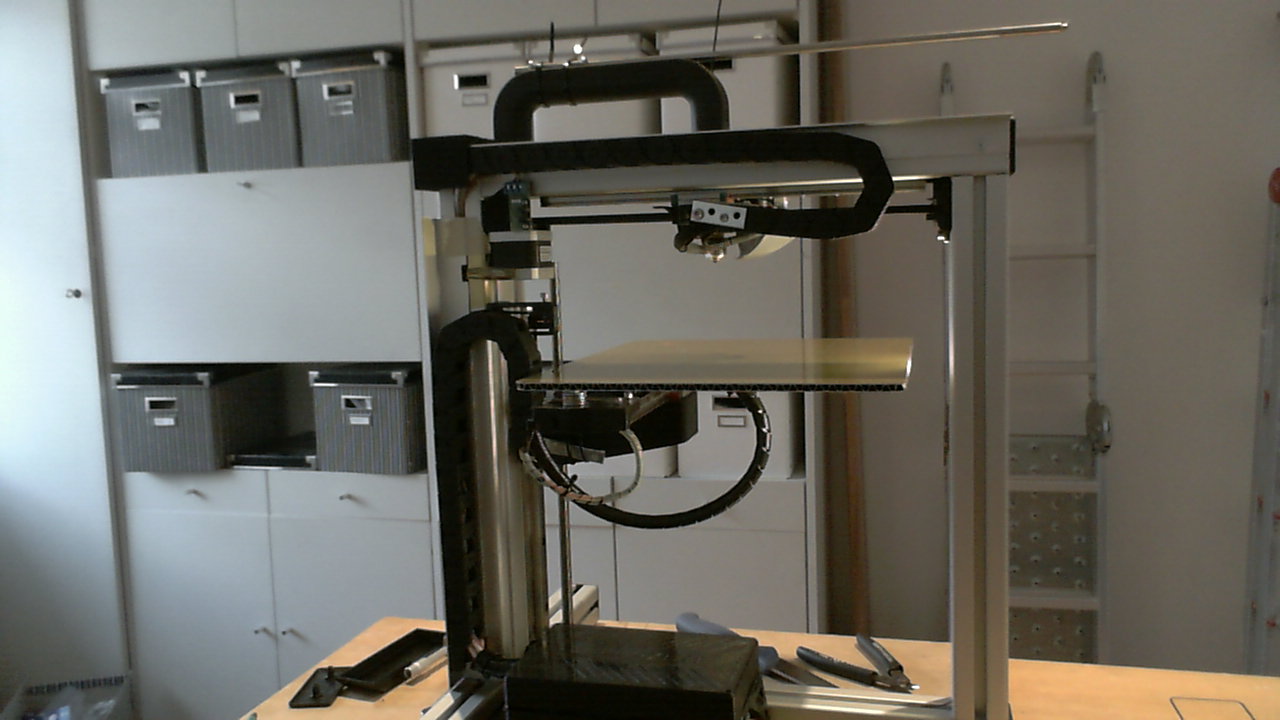
This easy hack gives the printer a way more professional appearance, when only very few cables are visible and the ways in which the cables move are constrained and predictable which should help with resilience and endurance. It also leaves the top of the printer completely free for filament supply lines to move unobstructed with the head.

View of Remote Frame Camera

Heat-Shield

Hot-Bed

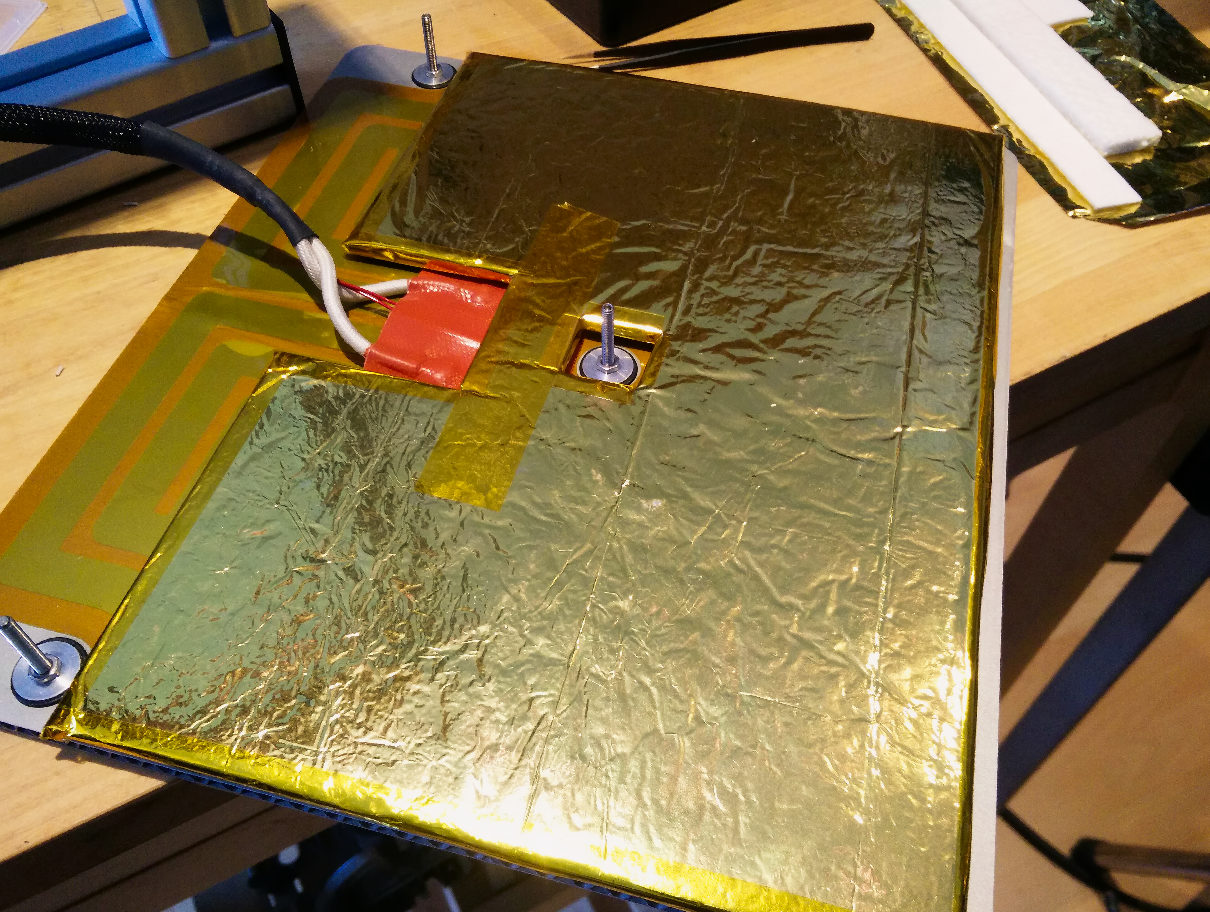
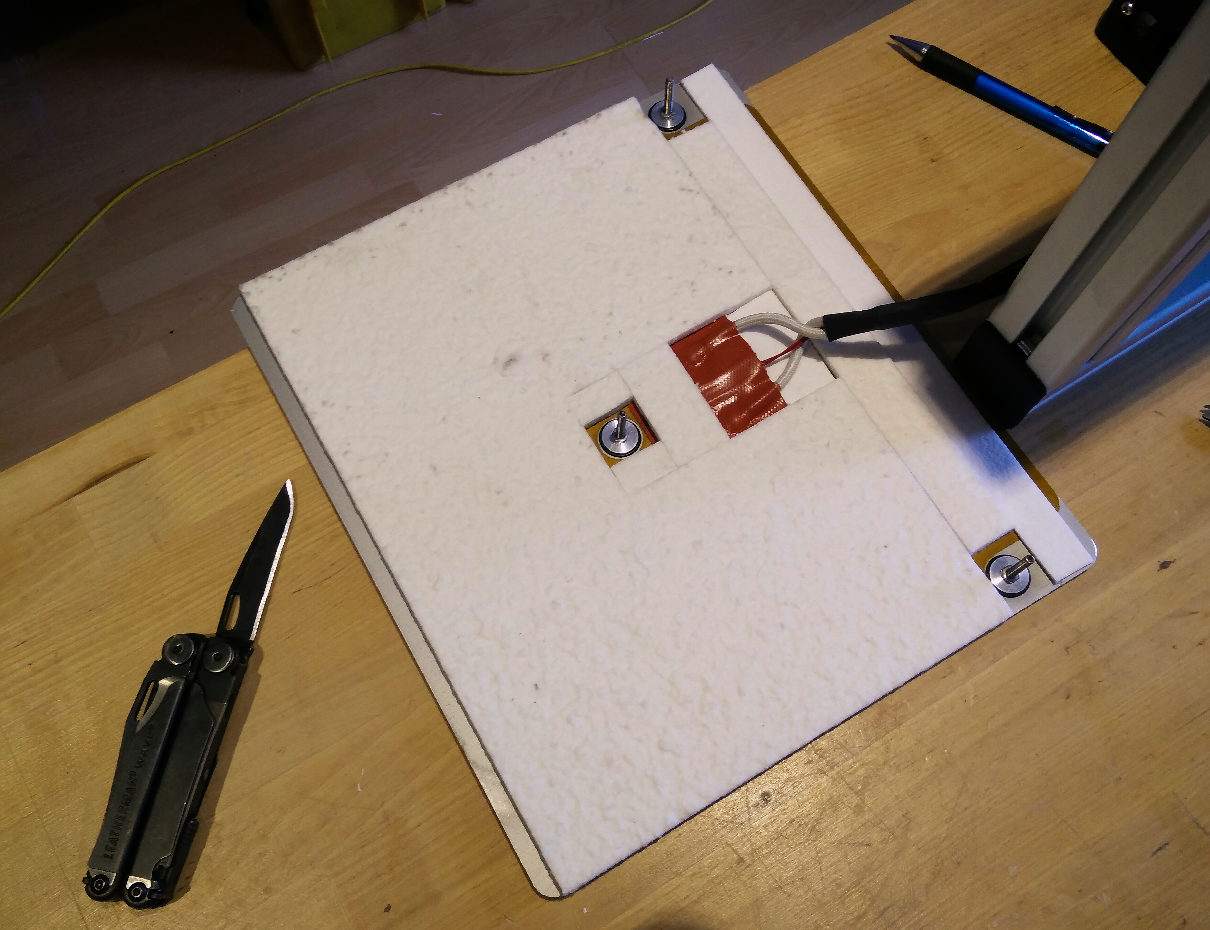
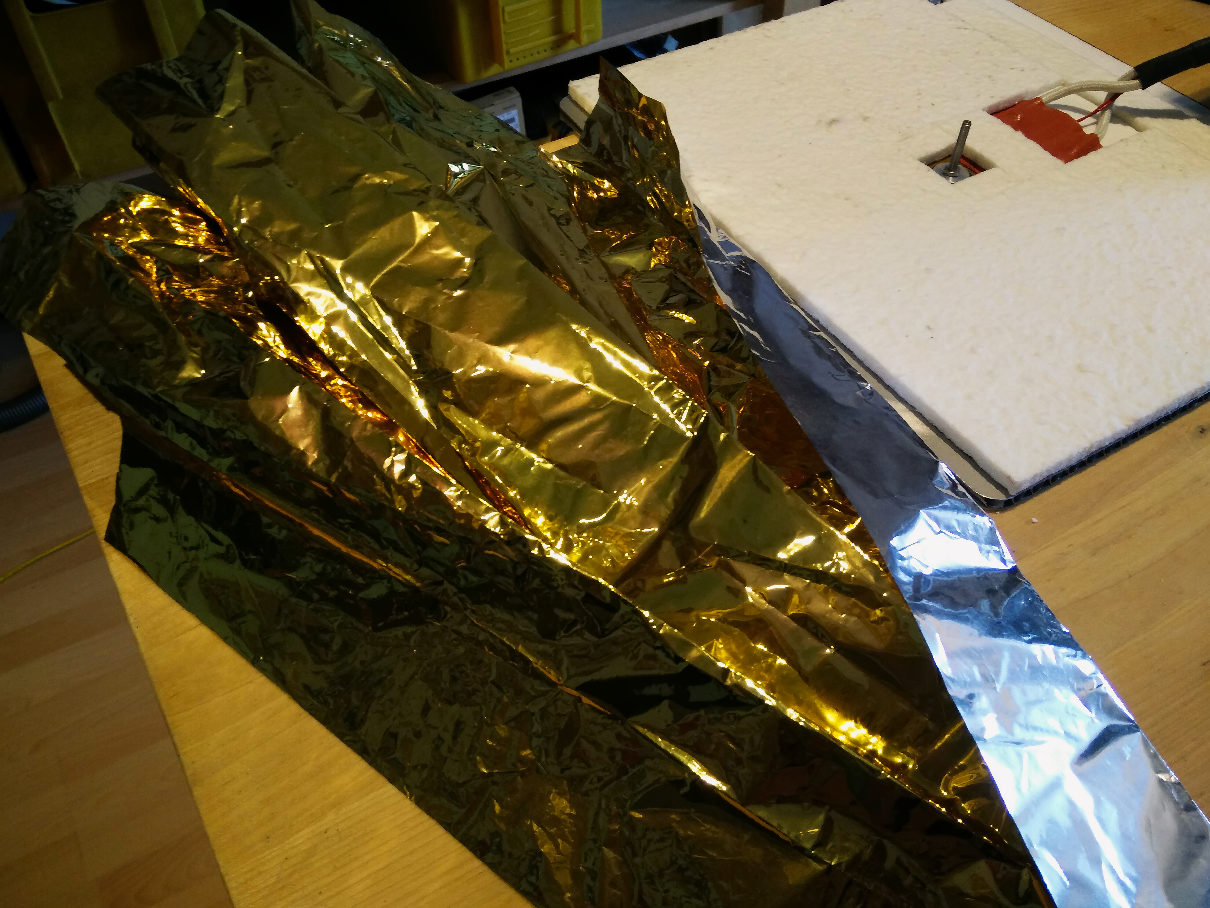
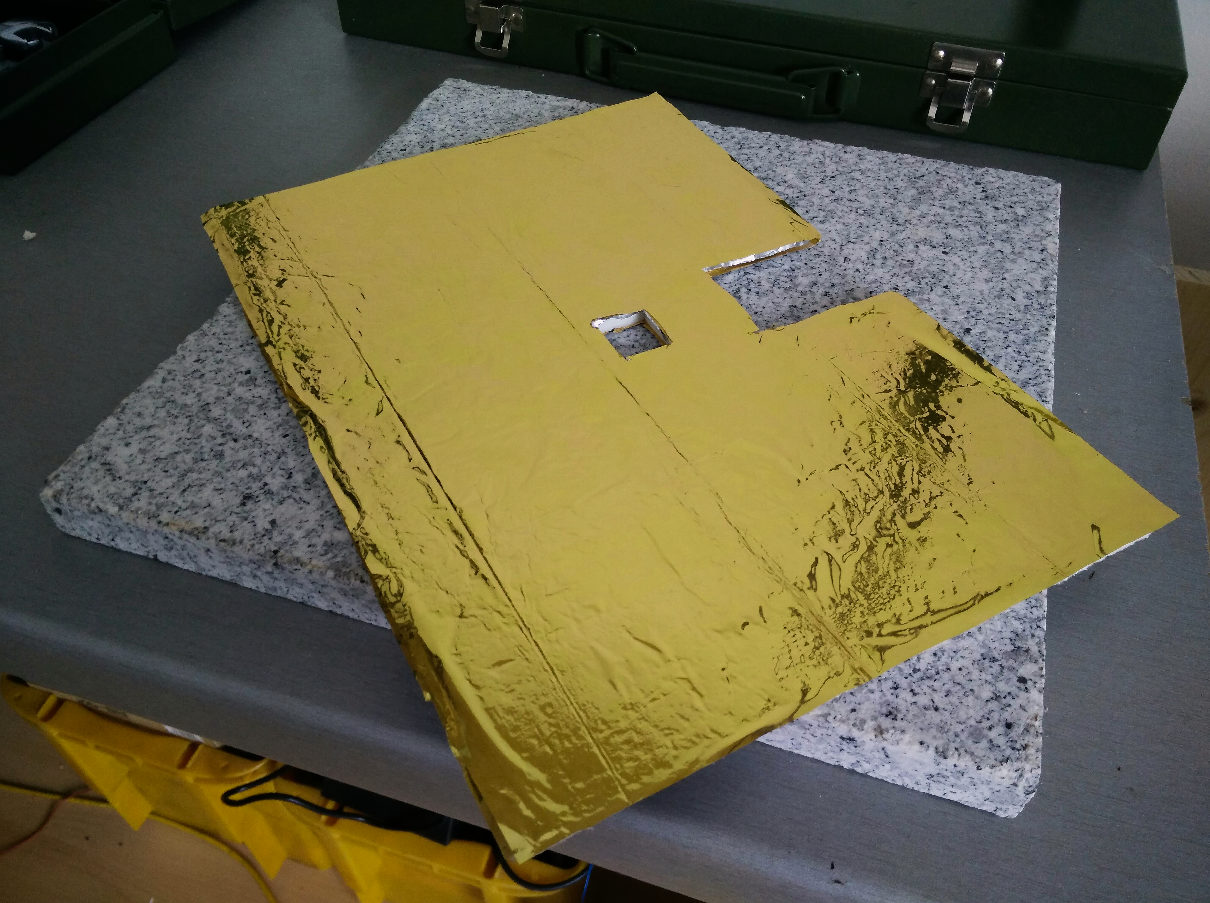
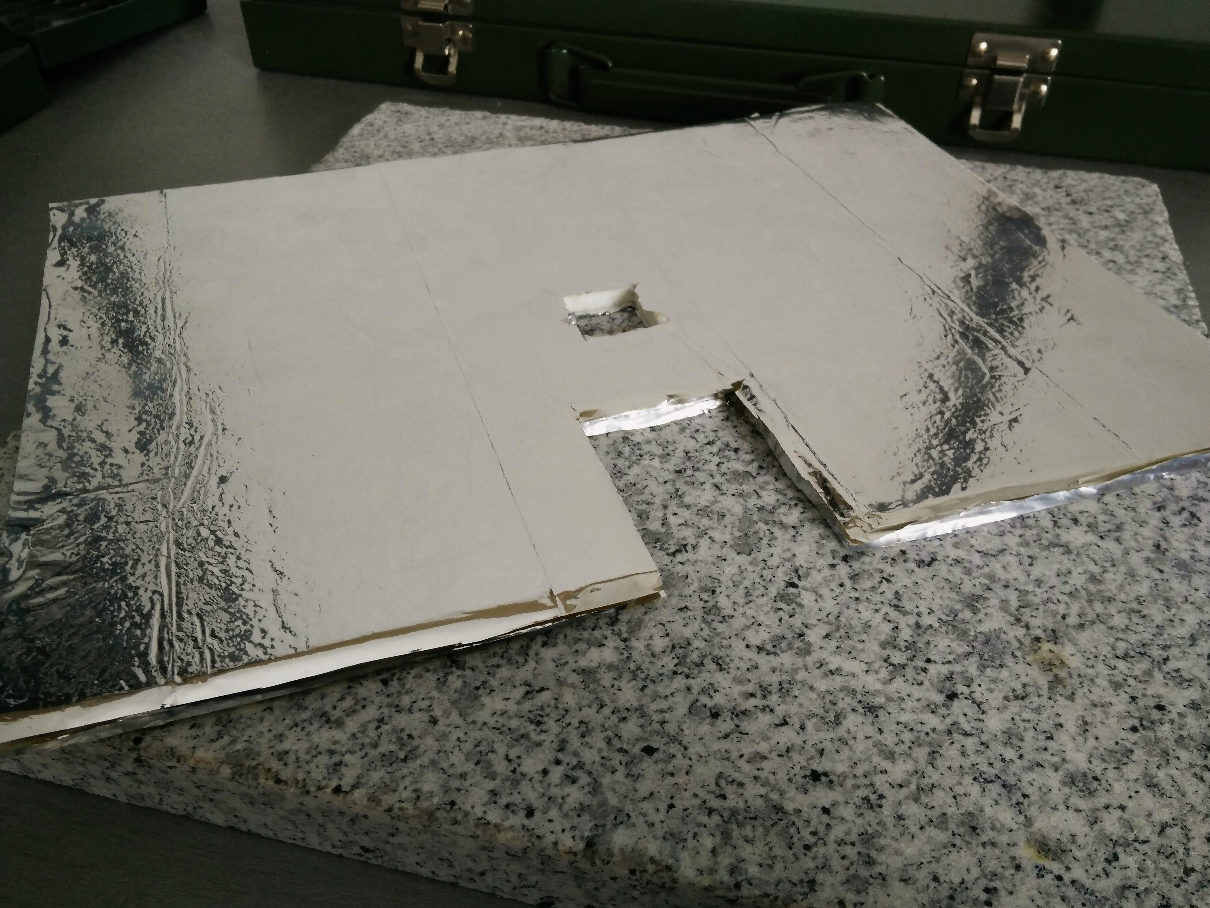
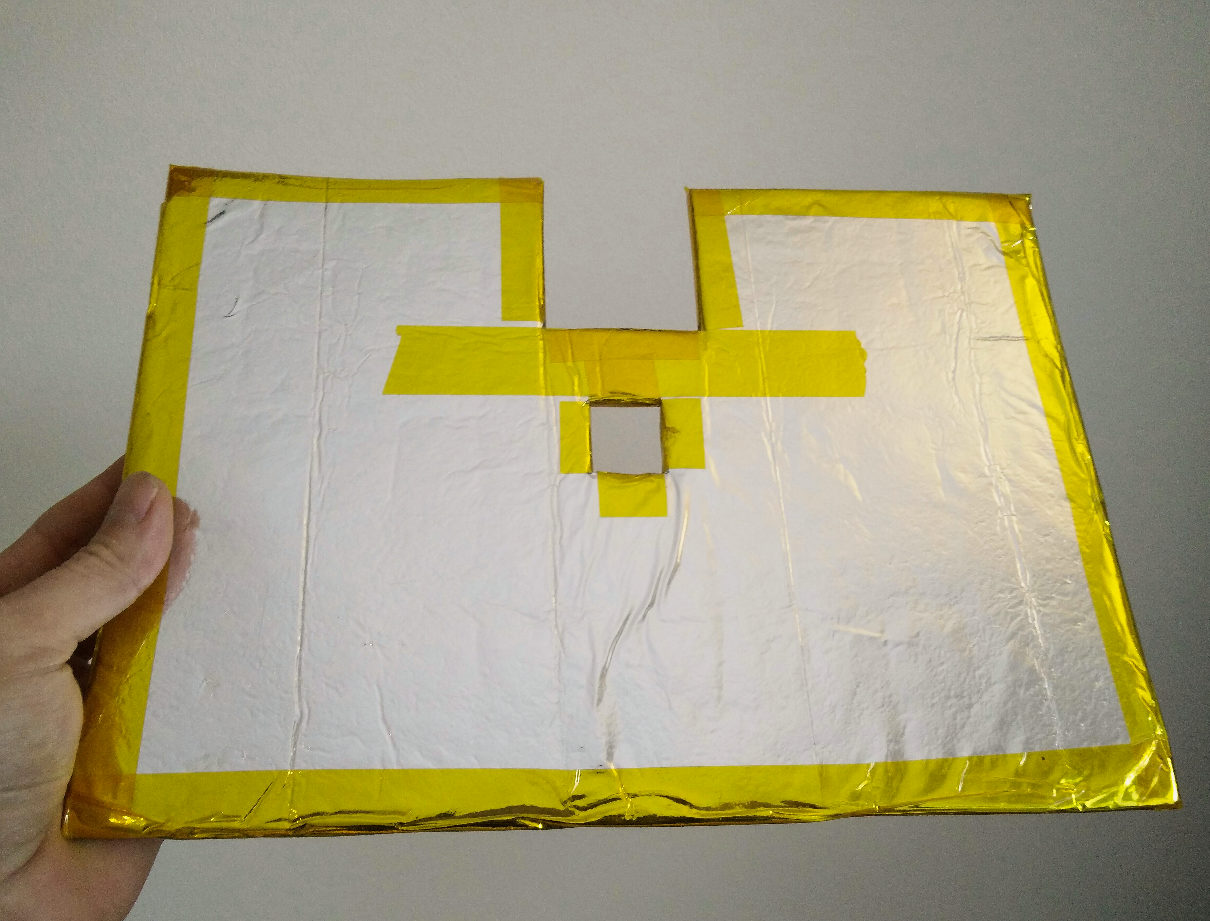
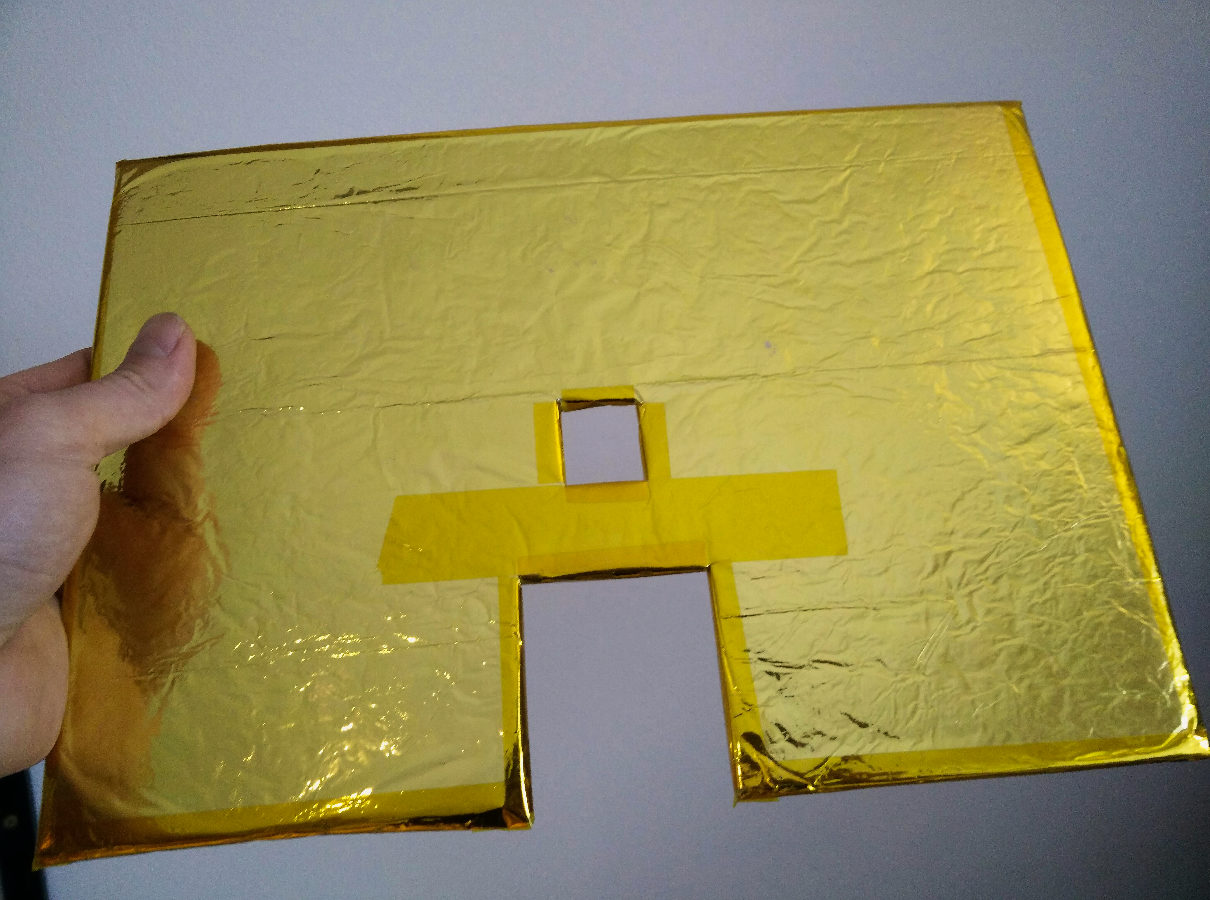
The bottom of the hot-bed has been fitted with a hacked composite material sandwich insulation - made of Insulfrax felt, aluminium foil (household type) and metallized polyethyleneteraphthalate (MPET) foil (cheapest source: Rescue Blankets silver/gold) which also has been used successfully as insulation for the picoJet heating element. This heat-shield approach adds only very little physical mass to the Y axis so movement agility and acceleration lag penalties are kept minimal but it significantly reduces the amount of energy lost to the surrounding air.

Main Part of the Heat-Shield in place

Cutting the Main Part out of Insulfrax Felt Cutting and assembling the Side part of Insulfrax Felt and Insulfrax Paper (2mm) Cutting and gluing Aluminium foil & MPET (Rescue Blanket)

This hack decreased the necessary printer warm-up time and increased temperature stability which reduces the risk of warping issues while printing bigger parts and yields higher Z layer positioning accuracy while reducing power consumption at the same time, especially during very long prints. How this performs in the long run will be documented when enough prints have run through.

Hot-Ends

Wrapped around earch hot end:

  • Insulfrax Paper
  • Aluminium Foil (Household type)
  • Kapton

New control panel

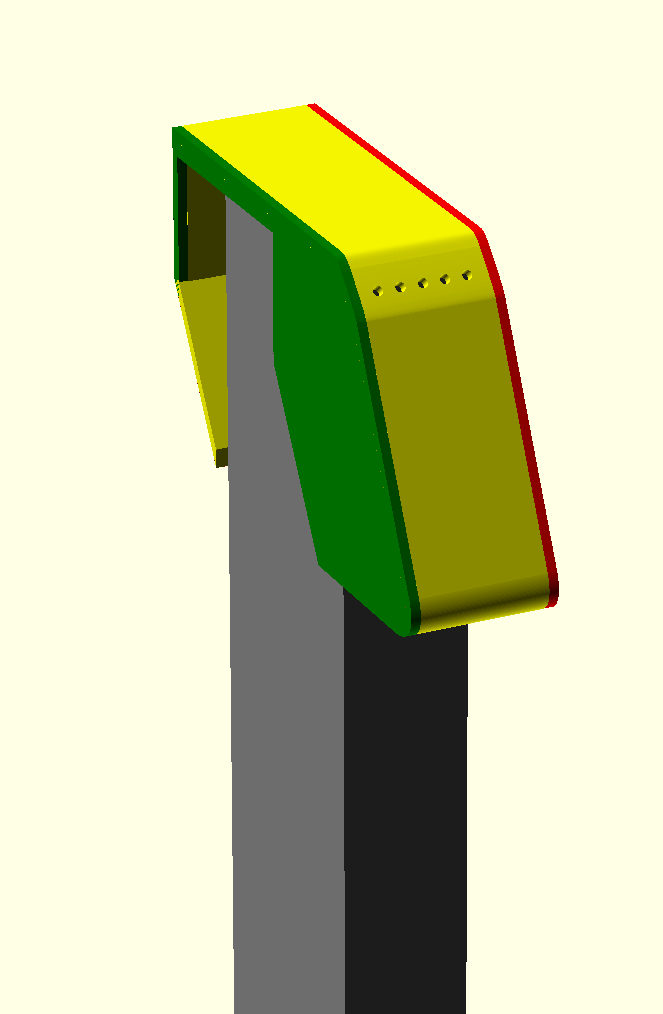
[Felix 3D Printer new control panel]

To support the cable chains and cover the chain/aluminium-profile's endpoints we've designed a custom part (image on the right) which replaces the original cap and will hold another Arduino connected via USB to the Cubieboard2 to control some LEDs and have a 3×3 button matrix to be able to execute basic on-hands printer operations:

  • Axis Selection
  • Axis Movement
  • Axis Homing
  • Fast retract (to remove current filament)
  • Long extrude (to insert new filament)

Electronic Components

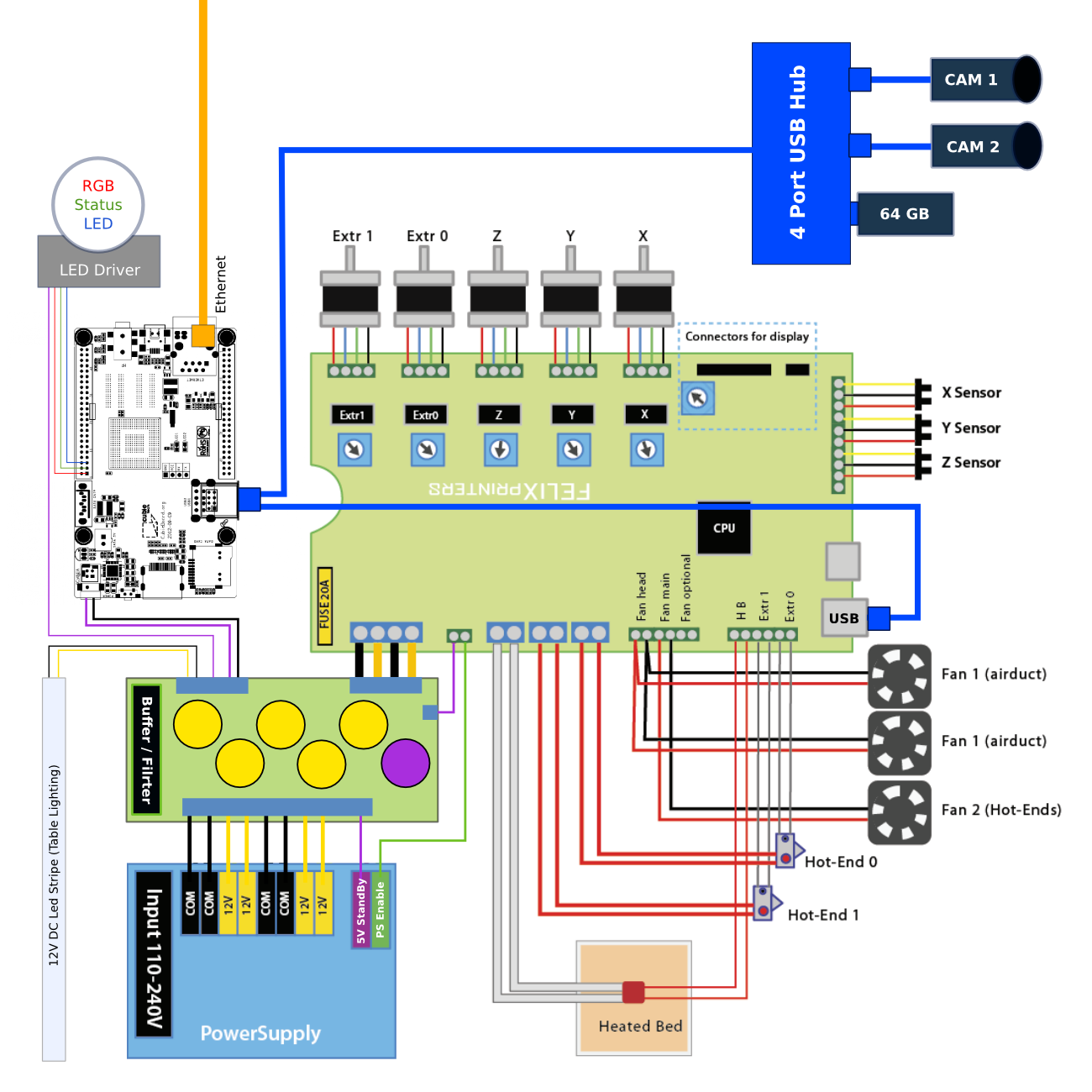
Since we didn't want to print from SD-Cards or install printing software on our clients that would need to remain with the printer while processing jobs, we needed to figure out if we could rig the Felix to become a fully autonomous and web-enabled 3D printer robot, we may use, control and monitor from any laptop, tablet or mobile phone anywhere. To realize this, an embedded linux board, like the Raspberry Pi, was needed to conveniently host other open-source software components and offer networking out-of-the-box as well as a lot of flexibility, since many high-level features can be done in software, which replicates much faster in an all open-source environment. Encouraged by the positive experiences with this approach, the following setup has emerged during the 3.0 update rebuild:

picoprint-dual-head-wiring-diagramm.png

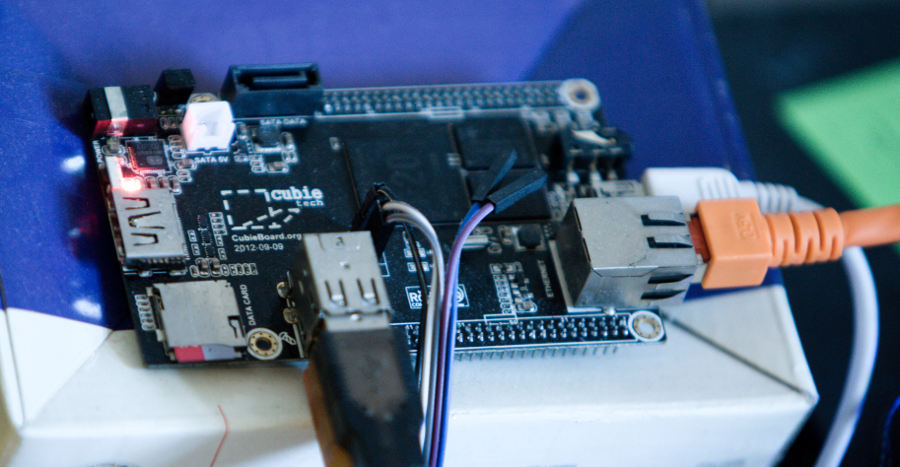
Cubieboard2

Every good robot needs a brain and although we love the Raspberry Pi and already have a few projects featuring it, we felt that a little more computing power, multicore architecture, 1G RAM and more GPIOs would be useful for future feature extensions. This finally led us to the Cubieboard2 as our basic underlying embedded Linux board for high-level interaction.

By hooking up the Cubieboard2 to the 5V StandBy (purple) rail of the power supply, the robot is always online and ready to print with minimal power consumption. The full chain of Cubieboard2 (idle), USB Hub, USB Camera and USB Stick for additional storage needed for creation and storage of timelapse videos, draws something between 2 and 2.5 Watt (0.4-0.5A@5V). That's well below the Power Supply's StandBy Rail Maximum Rating of 2A while keeping the printer fully remote accessible. Here are a couple of notes about cross-compiling and installing Gentoo on the Cubieboard.

Power Buffer/Filter Hack

To mitigate PWM switch noise and leave more reserve in edge conditions, we needed something to buffer and filter the 12V and 5V power rails, when the system momentarily peaks, reducing the risk of power supply or general system failures while printing. After the 3.0 update, the power supply casing is longer than the original V2.0 eletronics board which leaves about 3 cm of usable space in the case. A quickly hacked perfboard and a couple of capacitors out of the “rests” box later, it looks like this:

The Room in the middle of the board is intentionally left empty, otherwise it would be impossible to guide the complete set of cables of the printer through there. The bottom of the perfboard was sprayed with urethane to protect/insulate the connections and a non-conductive plastic sheet was inserted between the power supply's casing (top) and the buffer board to prevent DC rail contact with the grounded casing.

12V Rail

  • 2x 2200uF / 25V (LowESR) Electrolyte Cap.
  • 1x 1000uF / 25V (LowESR) Electrolyte Cap.
  • 1x 100nF 35V
  • 1x 10nF 35V

5V StandBy Rail

  • 1x 1000uF / 25V (LowESR) Electrolyte Cap.
  • 1x 100nF 35V
  • 1x 10nF 35V

Auto Power-On/Off

As soon as the Firmware on the Felix Controller Board receives gcode M80, it wakes up the power supply (green PS enable) and the printer is ready to operate. Once the print job is finished, you just send M81 and the system goes back to sleep again, while still offering control interfaces and live camera feed in a browser.

These gcodes can also be comfortably managed directly in Slic3r or Cura, both offer advanced options to add pre/postprocessing gcode to the exported model, so that they always get pre/appended during the workflow for each product.

Cameras

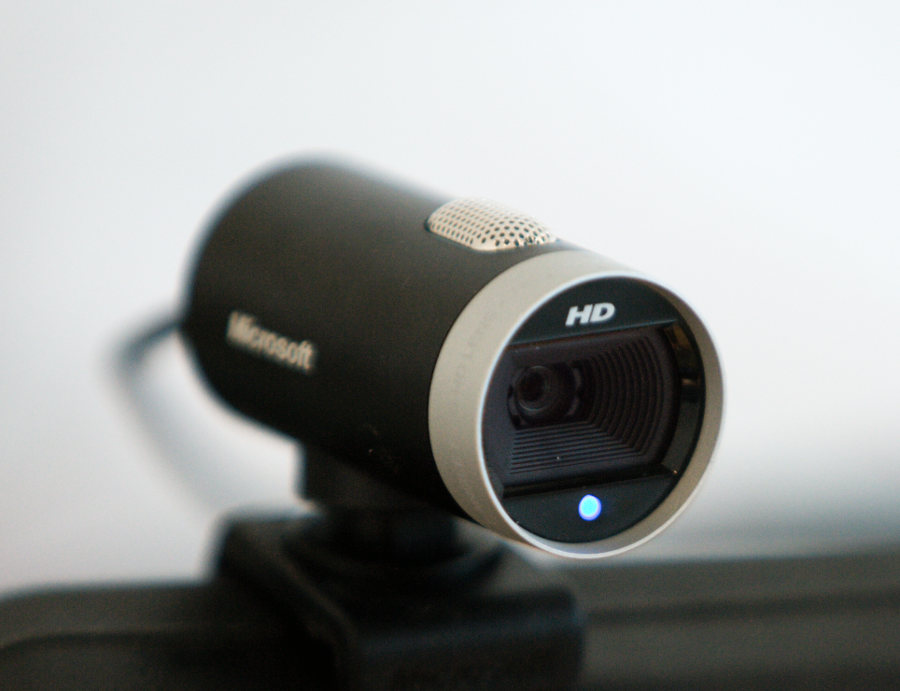
Remote Frame Camera

In order to have remote printing/monitoring capabilities it makes sense to use relatively cheap webcams to offer realtime remote monitoring and automatically created timelapse videos of the prints. Once a print is finished, the printer announces its work in a designated IRC channel and provides a link to the timelapse video on youtube: Apollo-NG YouTube channel. The next step here is to deploy mjpeg-relay and publish/relay the live camera feed in real-time.

Having a microscope headcam could prove invaluable for remote machine operation. As soon as time permits we can begin to modify the head parts to accommodate for the energy chains and to place the microscope as well. It's then connected via USB to the Cubieboard via Linux UVC USB Drivers as well and can be accessed via /dev/video1.


Table Lighting

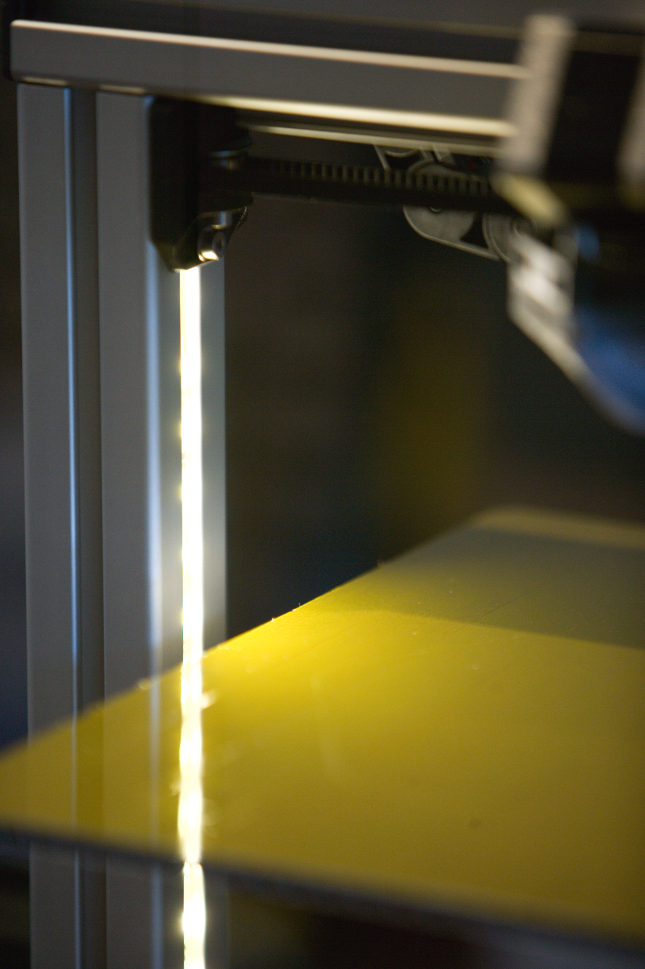
In order to provide the frame camera with enough light to shoot the timelapse videos, the printer is equipped with its own frame/table light source. This makes remote/autonomous printing possible, keeps the printer independent from room lighting and requires much less energy to light just the table instead of a whole room.

We've used the remains (12 LED's) of a common 5050 type water-resistant warm-white (2800K) 12V LED-Stripe (60 LED/m), connected to the 12V rail of the power supply. When the printer is in StandBy mode, the LED-Stripe is off. It fits perfectly within the slot of the extruded aluminum profile if you put some foam into the slot and then wedge the stripe inbetween the foam and the edges of the slot.

RGB Status LED

Controlled via Python, connected to Cubieboard U14 Pins 1,3,5 (PD0,PD2,PD4) and triggered by OctoPrint Eventhooks to change status.

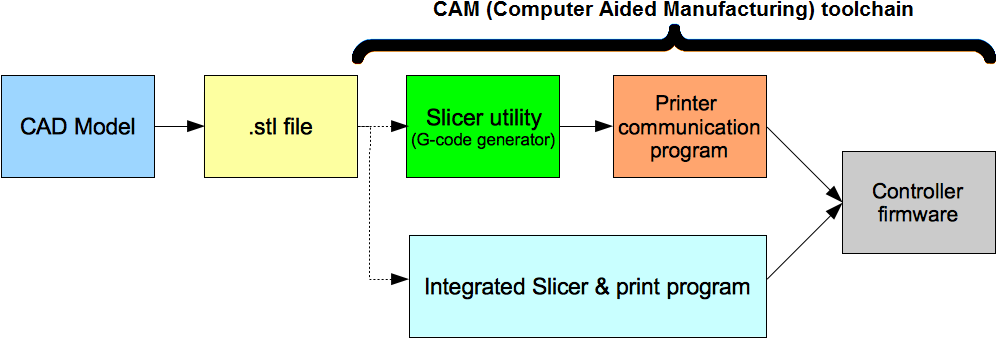
Open-Source CAD/CAM Software Stack

Open-Source CAD/CAM Software Stack foer 3D Printing

CAD Modelling

It is important be able to copy, adapt, improve and (re)share any model in order to have a basis for a rich ecopshere of shared models where parts which have already cost time to develop can be used instantly by others instead of re-inventing the same or a very similar part over and over again.

Therefore, we cannot rely on commercial toolkits because that would artificially limit the amount of people who can actually use these files to those, who are actually able to pay licence fees and are willing to deal with dongles, binary code that may contain government enforced trojans and in the end even being forced to install a proprietary OS to use them at all.

At the moment, there are a couple of directly usable open-source CAD toolkits which are noteworthy in the context of 3D modeling/printing and are already in production use here to create and alter the parts we print with this 3D printer.

FreeCAD

If you prefer to design mostly with a traditional UI and more or less traditional workflows/taxonomies known from proprietary toolkits like Inventor or ProE, try FreeCAD.

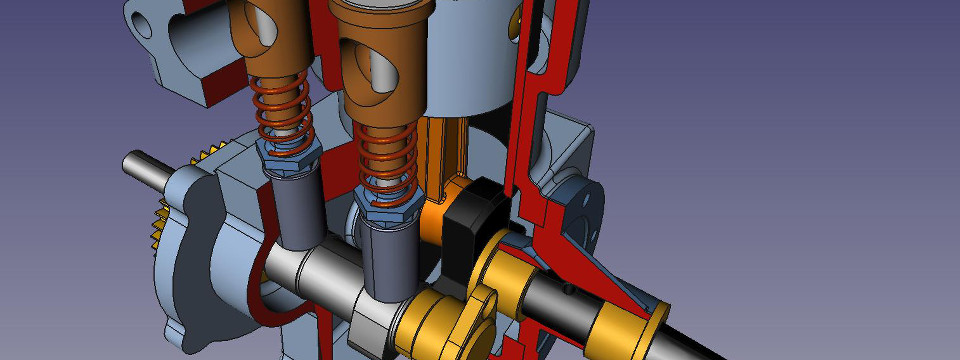
FreeCAD Screenshot

It sure still lacks a lot of the goodies the big commercial toolkits offer but you can achieve results with it, some people have already done so impressively.

OpenSCAD

With OpenSCAD, designing parts becomes more like programming where you can keep important parameters in variables and update/switch many aspects of the final product very easily. As a beginner you just have to change a couple of numbers and arrange the specific sub-parts smartly in a simple to learn language.

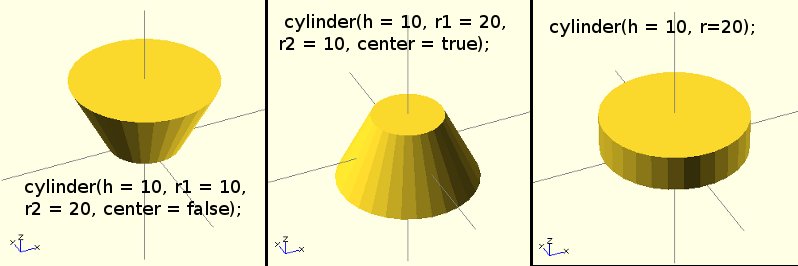
OpenSCAD Screenshot

When you gain more experience, OpenSCAD enables you to build much more complex functions and reusable function blocks to solve common tasks very fast. Another great benefit is of course git interaction, since it's basically just code in a text file. Diffs and managing different versions and revisions becomes very convenient and comfortable as well.

Slicing

Slicing is the task of analyzing the model and creating GCode which is sent to the Firmware as a print Job. It's one of the most important tasks in the 3D print workflow as it determines how the printer will actually print the final product.

Slic3r

Slic3r was used for all Felix 2.0 single-head slicing jobs and every product we've printed to far. It seems to work well with the original Marlin FW.

Cura

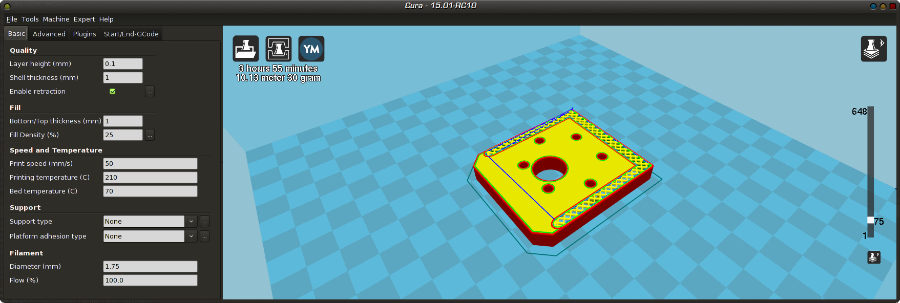
Cura 15.01 Screenshot

Cura is a new open-source slicer that renders the gcode almost in realtime, compiled successfully from source and will be tested with the new 3.0 printer and dual-head printing as well.

Printing

OctoPrint

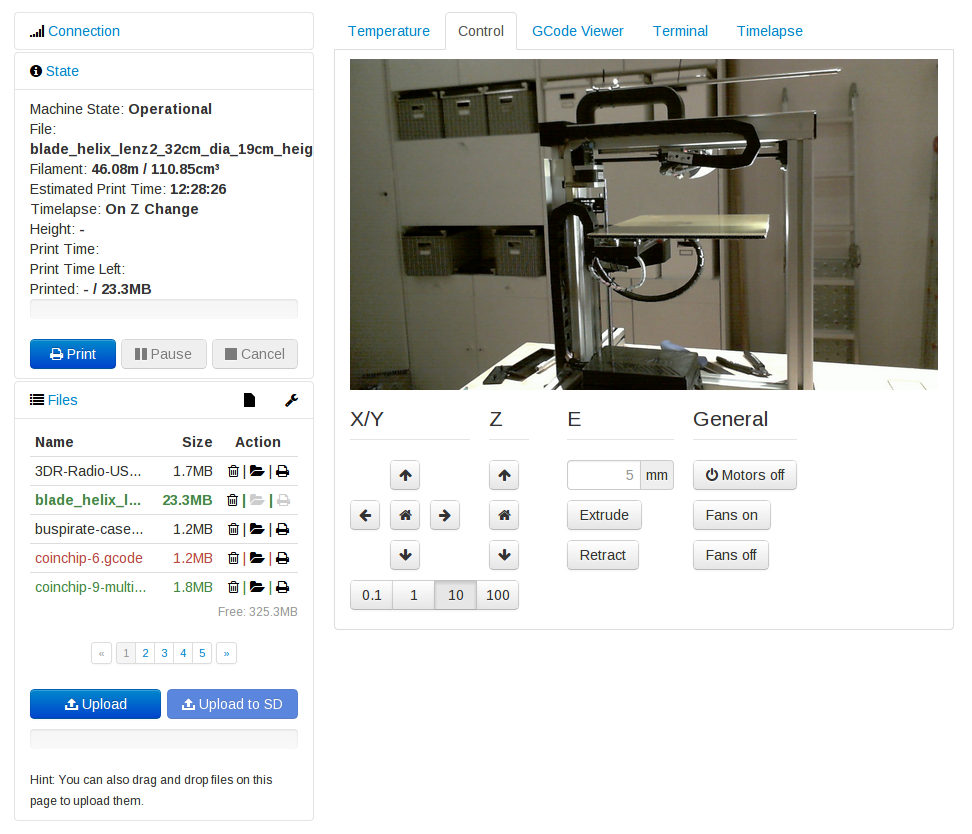
The heavy lifting is handled by OctoPrint, an open-source package based on python and a websocket/HTML5 webclient. GCode files are uploaded via webinterface and then spooled to the Felix Controller Board running Marlin 3D printer firmware via 250000 baud (high speed - low jitter) usb-serial link. It also manages the feed of the webcams and will receive a few GPIO gimmicks in the future as well.

Octoprint Webinterface

  • Web based operation/management → OctoPrint
  • M80/M81 gcode commands put printer power supply into standby/wakeup
  • Multiple Live-Webcams → Linux UVC drivers + MJPG-Streamer
  • Autonomously shoot, convert and upload timelapse videos to Apollo-NG YouTube channel

Robot-Firmware

In order to have full control over the robot and all its aspects, like acceleration values and PID tuning unique to this machine and to have a free development ecosphere where alternative firmwares may be developed, shared and easily adapted & installed, it was important to have a controller running an open-source firmware. The original Felix 2.0 printer came with a forked Marlin FW, with the update to 3.0 things seem to have moved to repetier-firmware-0.92 upstream (FELIXrobotics) for dual head support.

There is also an alternative FW on github which is based on a more recent fork of Marlin and includes PID support for the bed, which supposedly increases Z layer stability but needs a hardware mod: Add a 4700uF electrolyte capacitor (25V rating should be enough) over the power supply terminals of the electronics board for stability.

Workflow

  • Get/create a part
  • Slice the part with Slic3r
  • Export GCode
  • Load GCode in simulator
  • Load Gcode in OctoPrint
  • Print!

In order to achieve constantly good quality:

  • Make sure the bed is level (no problem if you treat the printer gently)
  • Make sure the bed is clean (we use isopropanol before each print job)
  • Make sure no dust reaches into extruder (install/clean/replace dust scrubber)
  • Make sure filament is as dry as possible (we're still looking for good boxes)

Known good parameters

Material Ext Bed
PLA Grey 195 55